Practical AI consulting

Put AI
to work.

We design and build AI workflows that handle the follow-ups, organize the information and keep work moving. Built around the tools you already use.

Book a call
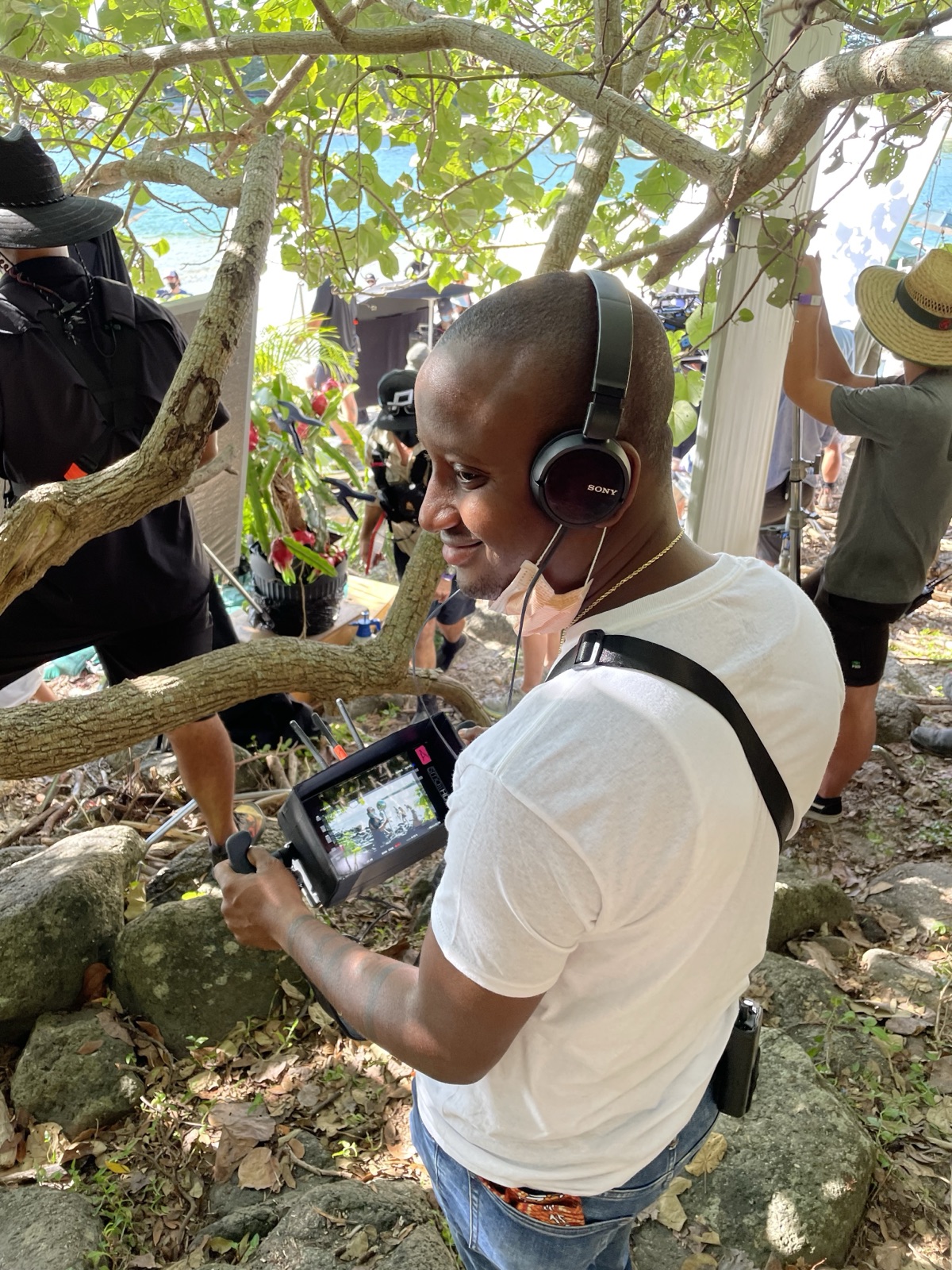
KaMeek on a film set, wearing headphones and holding a production monitor
KaMeek Lucas TaittFilm producer / practical AI systems
KaMeek, on set.A working day.

KaMeek Lucas Taitt

Filmmaker

I use AI workflows alongside email and project management software in my own work. That firsthand experience is the starting point for DANI.

AI assistants with
a clear job to do.

This is what I mean by agentic solutions: an AI assistant or chief of staff with a clear job, access you control, and rules that help it get meaningful work done. Give it responsibilities as you would an employee: an agreed routine, clear boundaries, and you in charge of the final decisions.

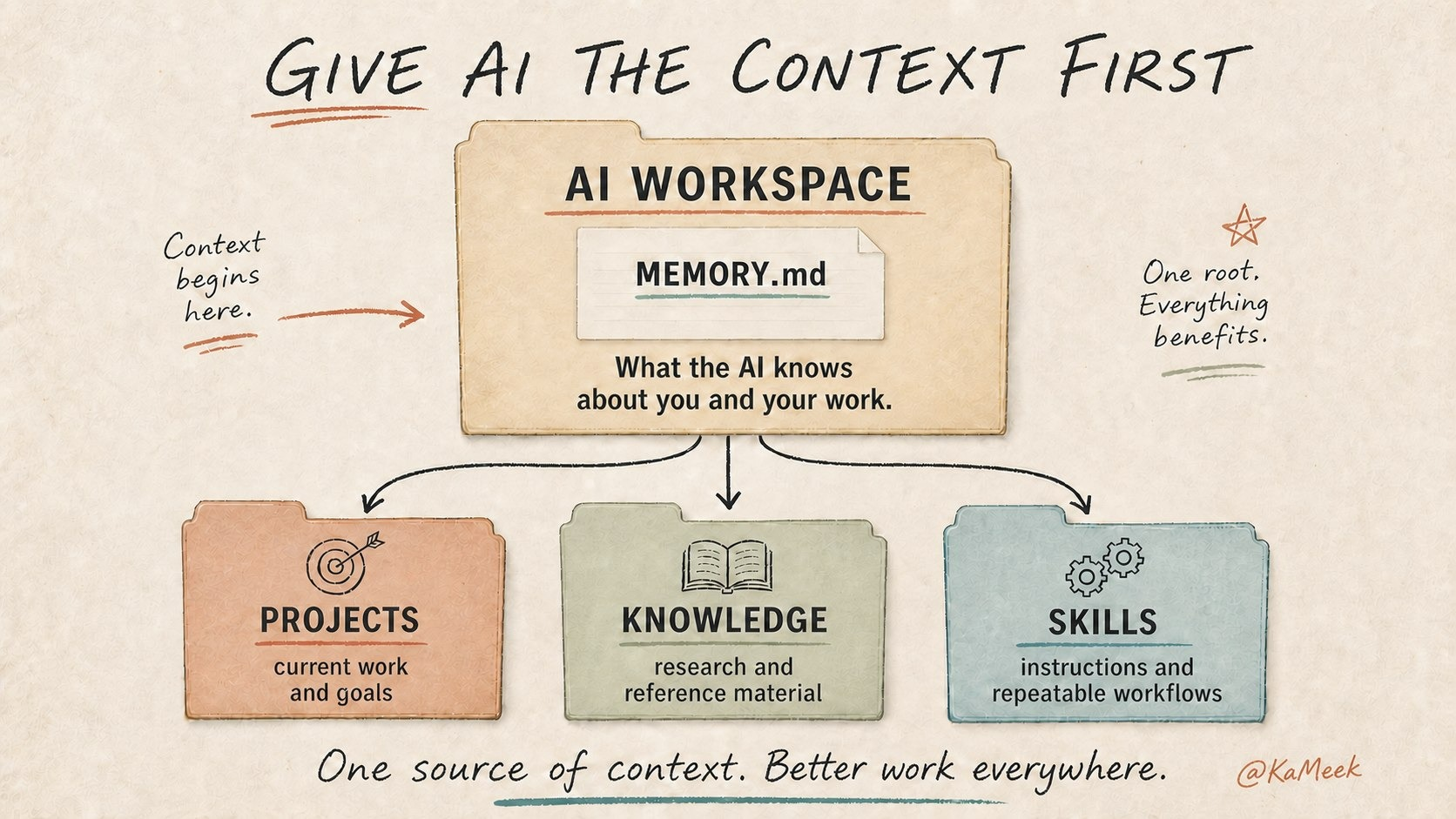
KaMeek's context-first AI workspace, connecting shared background with Projects, Knowledge and Skills folders.View illustration at full size

A proper desk for your AI.

I build an organized workspace with project folders, relevant reference files, clear instructions, and boundaries for the work. Current task notes and a maintained handover give the assistant somewhere to pick up from, instead of starting with a blank chat each time.

An organized workspace, ready for the next task

Projects hold current work. Knowledge keeps useful references. Skills contain instructions and repeatable workflows.

How I use this

Three examples from my own work. Drawings use made-up details. I review the outputs and confirm what happens next.

1

From meeting to next steps.

From my own work
See meeting workflow
Meeting transcriptDecisionsOpen questionsTimestamps kept
Extract + prepare
Next agendaDecisionsOpen questionsReview before use
An agenda reused at the next meeting.

A meeting transcript holds decisions and open questions.

I use AI to pull decisions and open questions from a transcript, with timestamps to check the source. One resulting agenda was reused in the next meeting.

Transcript → decisions → next agenda
2

From screenshots to assigned work.

From my own work
See task workflow
Follow-up screenshotsOwnersDatesContext
Organize + check
3 Basecamp tasksOwnerDue dateRelated links
Owners, dates and context stay with each task.

Follow-ups arrive as screenshots.

AI helped turn production follow-ups into three Basecamp tasks with owners, due dates, and related links. I review the owners, dates and context before relying on the task list.

Screenshots → organized tasks → review
3

From email chains to a clear next move.

From my own work
See email workflow
Email chainScattered context
Read + connect
Source-linked briefWhat happenedCurrent blockerMy next steps
Source links stay attached to the summary.

The relevant context is spread across an email chain.

AI brings together what happened, the current blocker, and what needs my attention in a source-linked brief. I check the summary before deciding what to do next.

Email chain → linked brief → next steps

The tools you already know

An assistant at the center.
Your tools around it.

Your AI assistantFollow the agreed steps.
Ask when you need to decide.
Microsoft OutlookPrepare a reply
Microsoft WordSummarize a document
Microsoft ExcelUpdate a follow-up list
Google DocsPrepare a summary
Google SheetsOrganize a status list
Illustrative workflows. Connections depend on the tools and access agreed for your project, checked and tested before the build.

How we work

Start with the work
you already do.

I started with real tasks, gave the AI the right context with all my projects within its own folder. Context is key.

something you can actually use ↗

Start with a task you’d happily hand over.

Updating an Excel tracker. Copying details from emails. Chasing the same follow-ups. We’ll walk through a routine you don’t enjoy doing, then work out what your AI agent can take on and where you still want the final say.

Set up its workspace.

Give it a proper desk: organized project folders, relevant reference files, clear instructions, and the context for its task. Set up approved tools and permissions, write the steps, and choose when it needs to ask you.

Try a real cycle together.

Test ordinary cases, missing information, and mistakes. Check what it can actually read and carry forward, inspect the result, and make corrections. Keep a short handover current with progress, open questions, and next steps. Agree who maintains it and what support comes next.

About me

Built from
my working day.

I’m KaMeek Lucas Taitt, a film producer. My day moves from script notes and casting decisions to working with the director and department heads, keeping the creative vision connected from filming through editing and visual effects.

There are always questions to answer, problems to resolve, feedback to organize, and next steps to follow through on. That’s what led me to build AI into my own workflow, helping me keep the moving parts organized so I can give more attention to the creative vision and you know, making sure the movie is cool!

Selected production experience

Empire CityCo-producer
Paramount PicturesProduction experience
Love and MonstersFeature film
NautilusAMC television series

I use AI assistants on a daily basis in my project management software. They've become part of how I organize incoming work, research questions, and keep projects, as well as personal tasks moving forward.

KaMeek Lucas Taitt
KaMeek at work on a film set
I build Ai around the work I do every day.KaMeek Lucas Taitt

What you can expect

Work directly with me.

I'm the person mapping the work, building the first version, and walking you through it.

Start with a practical job.

We choose a repeatable task with a clear owner and result, then test it in the tools you've approved.

Know what you're getting.

Scope, access, costs, ownership, and support are agreed before the build.

FAQ

A few questions
you might have.

Where do we start?

With one job that keeps taking time. We'll look at approved examples, agree what a useful result would be, and build a small first version to test. You don't need to arrive with a technical plan.

Will this work with Outlook, Word, or Excel?

Those are possible starting points to assess with you. We'd check the connections, permissions, and any extra costs before agreeing a build, then test the workflow in your setup.

Can it work without me checking every step?

Routine steps can run within the permissions we agree and test. An assistant can organize requests, gather background, and track follow-ups on its own. External messages, spending, access changes, and consequential changes to business records need human approval. The routine should pause when information or permission is missing.

What happens to our information?

We agree what it can read and where the work runs, whether on your computer or through approved online services. Running AI on your computer doesn't by itself keep every connected tool local. We'd check where information is sent and stored and keep access limited. First projects exclude raw card data and Social Security numbers.

What does it cost?

I quote for the agreed job: what needs connecting, the information involved, and the testing and support it needs. We'll agree the price, any tool subscriptions, and what's included before work starts.

Who owns it, and what happens after the build?

We'll define ownership of the work, accounts, and documentation in the scope. You'll get an operating guide and a walkthrough. Hosting, maintenance, further changes, and ongoing support are agreed clearly before we commit.

Is this meant to replace an employee?

It's a way to delegate particular tasks to software. People remain responsible for decisions and relationships. We judge a first project by how well it handles the agreed work, without assuming it can take over a whole role.

KaMeek, your call host

Book a callwith KaMeek

Build with
DANI.

Bring one task that's taking up too much of your day. We'll talk through how AI could help. You don't need a technical plan.

Book a call Opens Calendly in a new tab.Prefer email? letsbuild@withdani.aiA general outline is plenty. Please leave confidential details out of the first email.